Mitel, February to August 2021
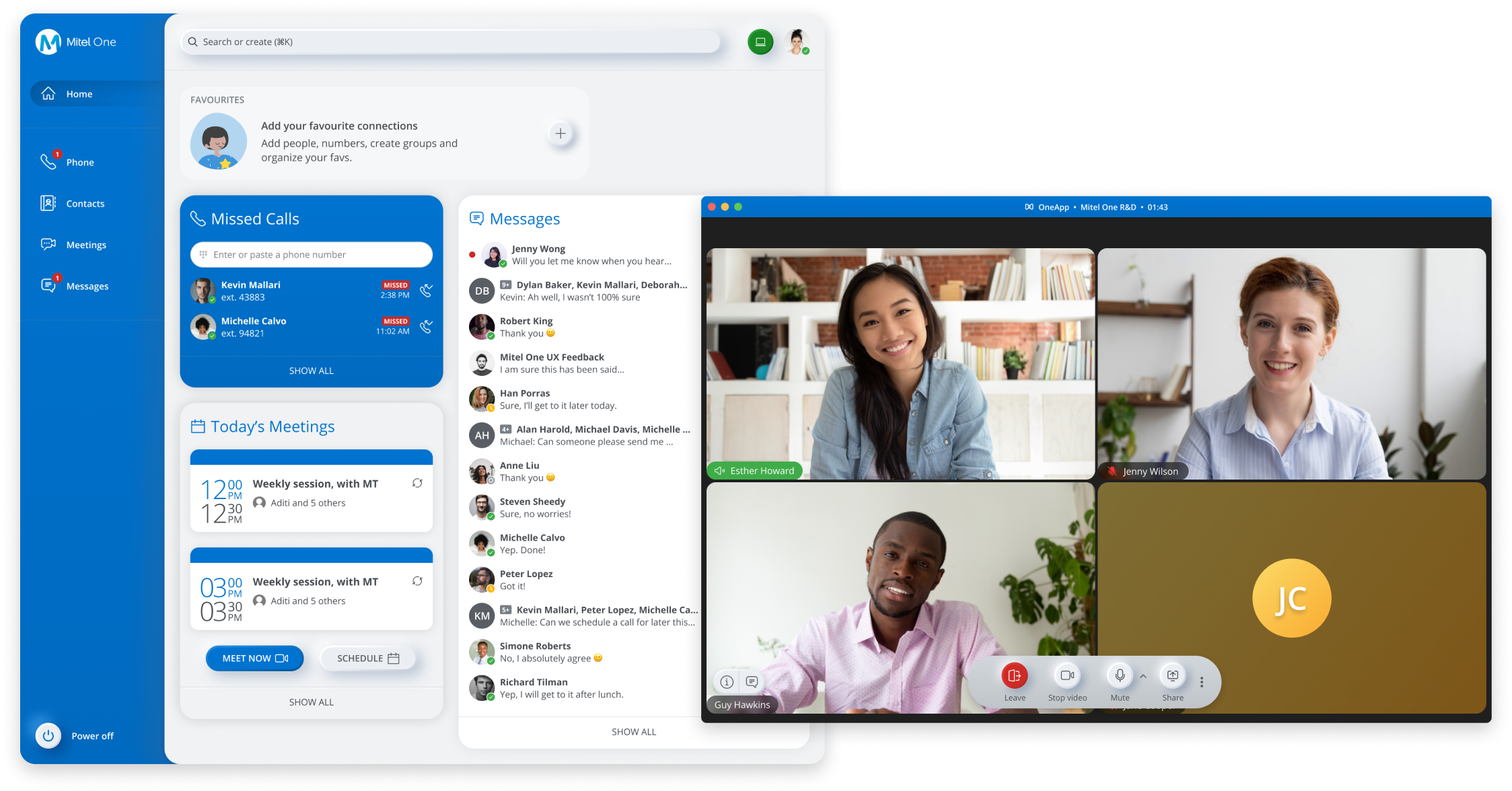
I lead all the design efforts for video conferencing at Mitel. I have been involved in every step of the way, from defining product requirements, prototyping, testing, and polishing the product. Over the past two years, I have shipped Mitel's video conferencing product for web and ensured that the experience is consistent on mobile
Mitel didn’t have a video collaboration product when I started. With the mentorship of a senior designer, I helped to debut Mitel's first video conferencing offering MiTeam Meetings in 3 markets. For the first many months after launch, we focussed on improving the in-meeting experience based on user feedback and usability testing.
A year after launch, the in-meeting experience was working well for our users but the experience of the before and after experience of the meeting was causing a lot of pain. Simple tasks like finding the right meeting was difficult because of our sorting logic.
Commons tasks that users performed before the meeting
🔗 Find the link to join the meeting
📞 Find details to join via phone.
👍🏽 Look at RSVP status of participants.
Commons tasks that users performed after the meeting
🙋🏽 Look at the attended list
📁 Finding a file that was shared in the meeting.
🎥 Find the recording of a meeting they were not able to attend.
Problems with the existing experience
🖇 Users were joining the meeting either from Mitel's other collaboration apps or from their calendar. The cross launch experience from both the calendar and Mitel's collaboration app added friction to the join experience.
🧐 Meeting participants were relying on the meeting creator to download and share recordings because it was impossible to find them in MiTeam Meetings.
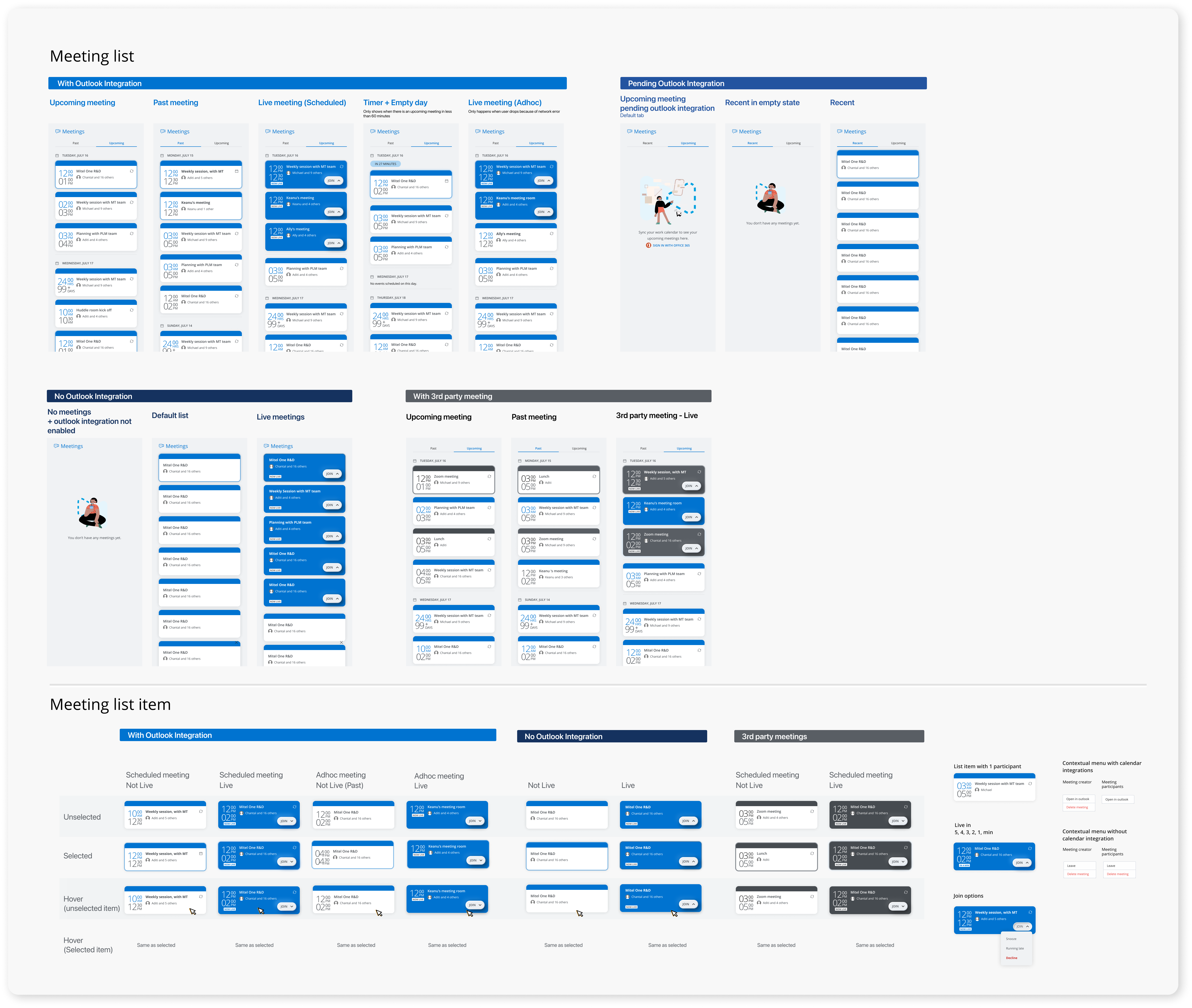
With the calendar API we were able to put a time stamp to the meetings. We wanted to smoothen the experience of finding and joining meeting without getting into building intricate capabilities of the calendar. So, we got together as a cross-functional team made some early decisions on what we must, should, could, and wouldn't do.
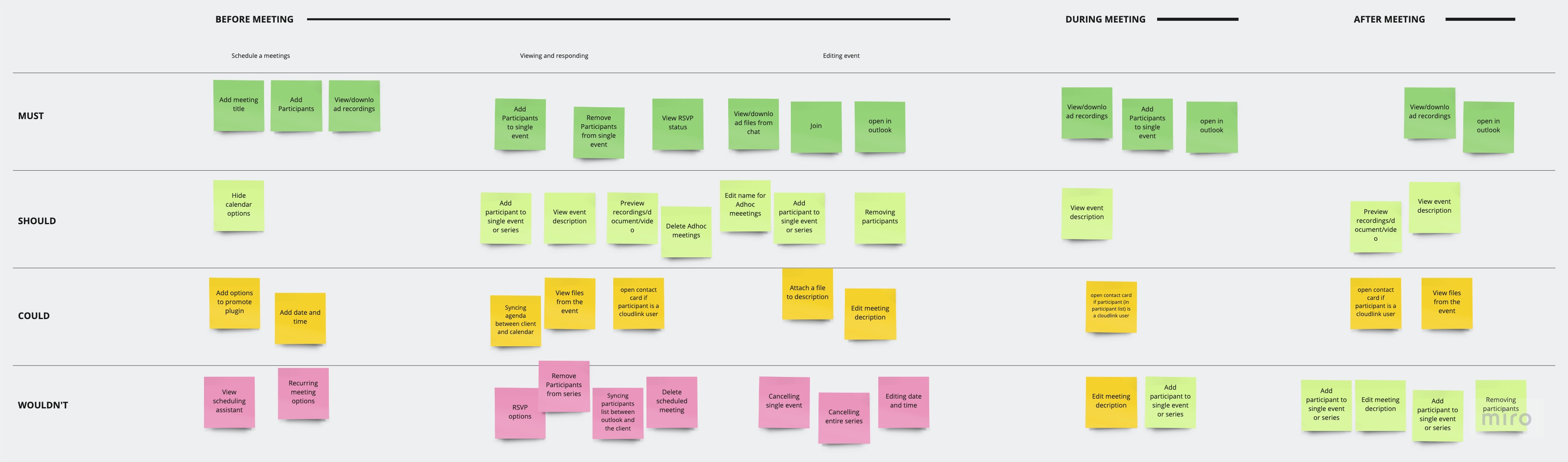
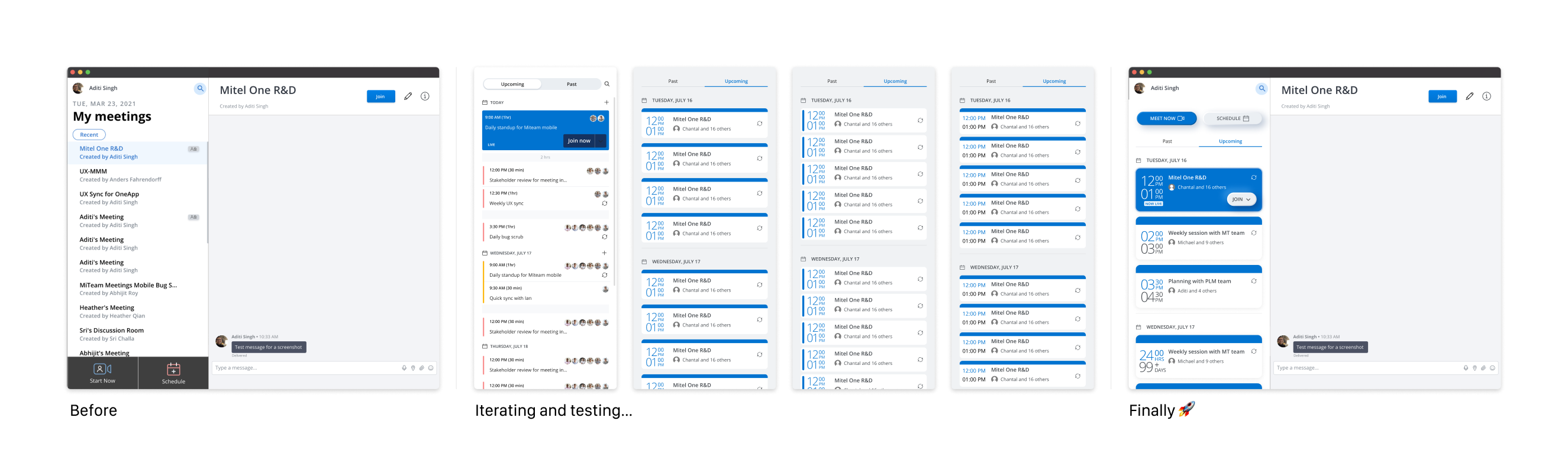
Very soon, we realized that this feature could easily mushroom. So, we prioritized things based on impact. We started with making it easier to find meetings by reorganizing the meeting list. I explored different density of displaying information. While there was pushback from stakeholders about the sparseness of information in the final option, we went forward with it because our users appreciated the departure from the typically condensed format of the calendar.
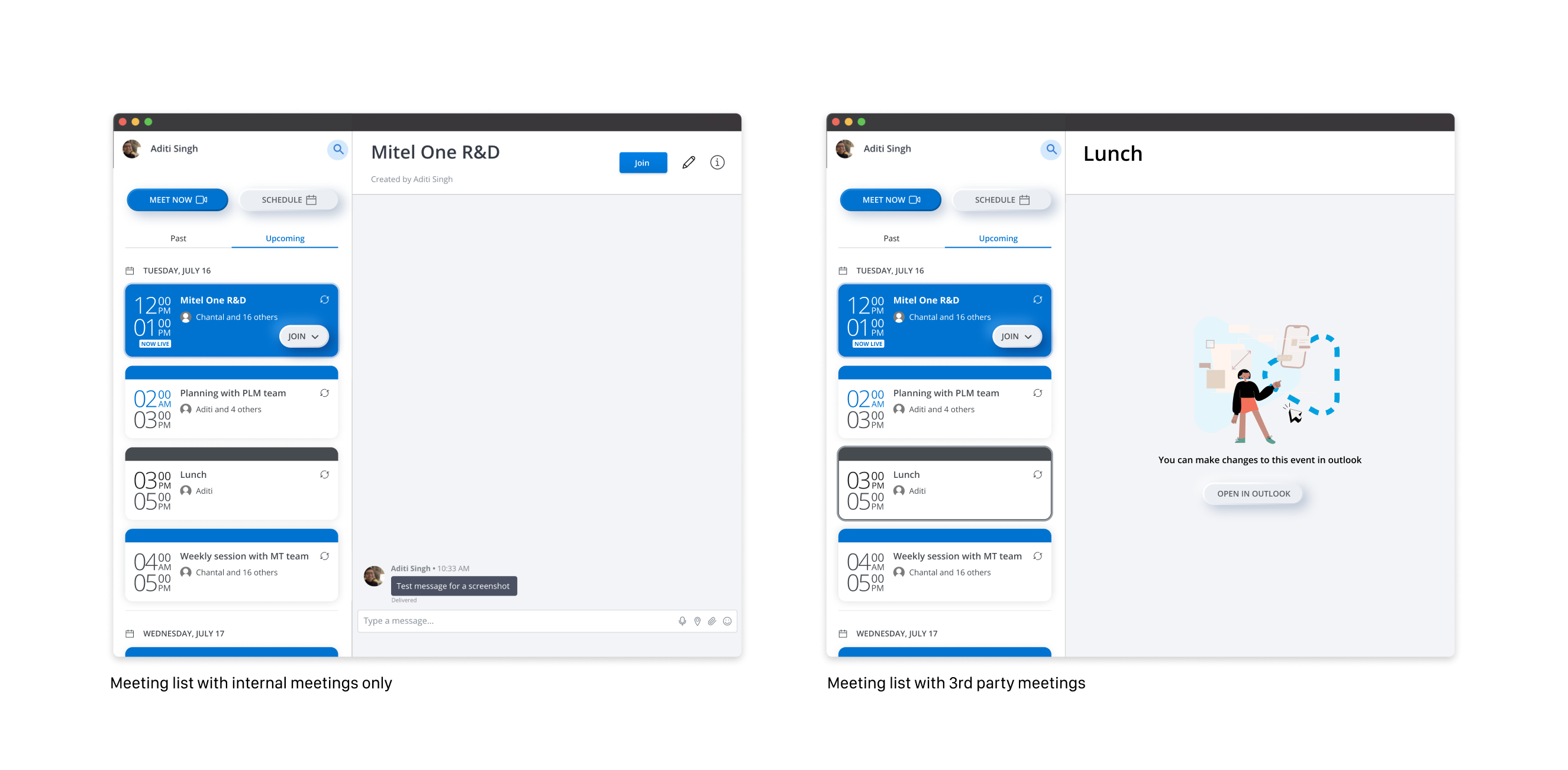
We started out small by filtering our MiTeam Meetings from the calendar and bringing them over to the app. We learned from the trials that our users wanted to see the entire calendar on their list to have an overview of the whole day. So, without increasing the complexity, we just brought al the events to the meetings list and introduced a button to open the event in calendar.
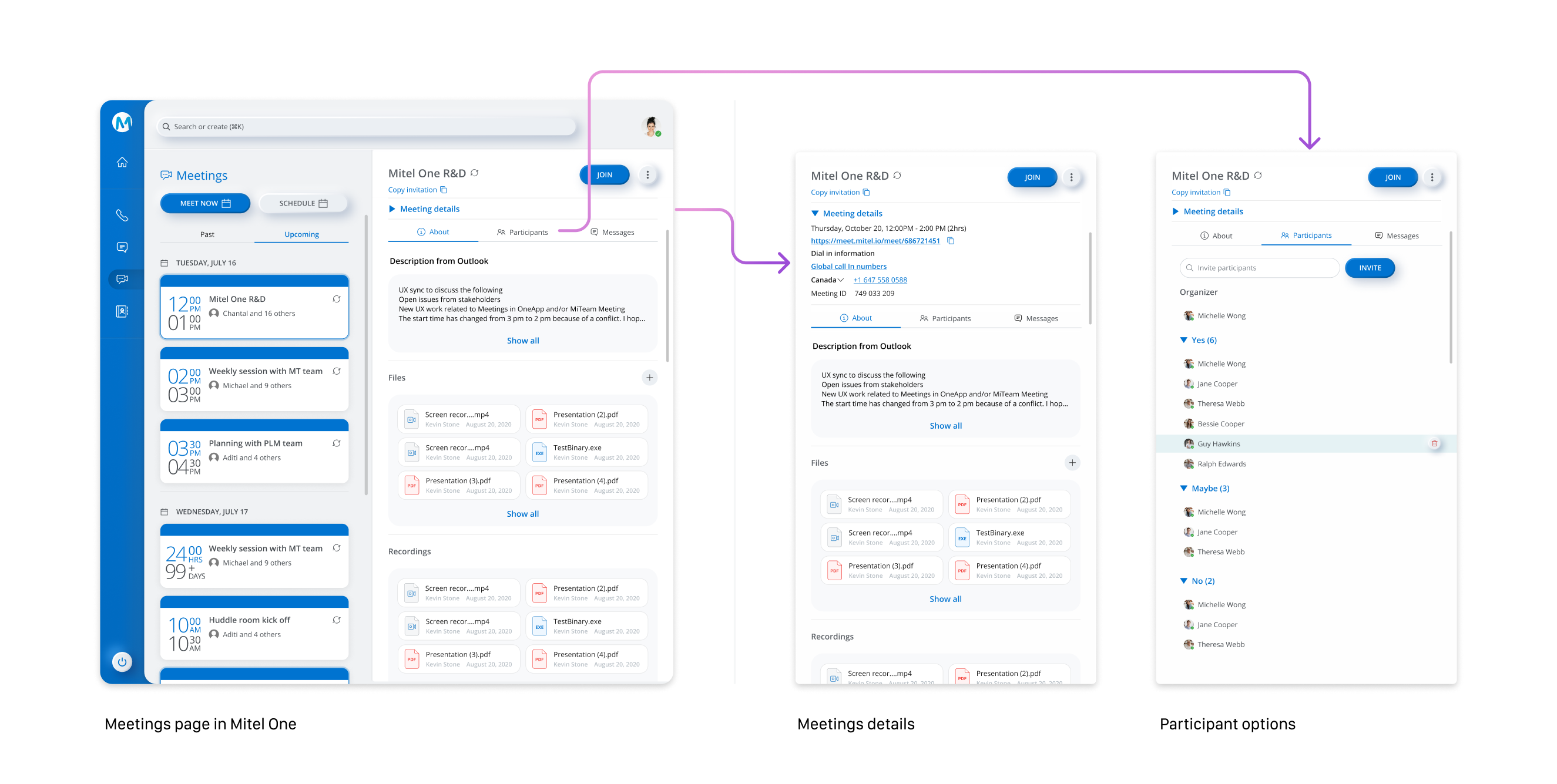
Over the past year, Mitel’s business strategy has been focussing on consolidating all the products acquired via M&A into Mitel’s unified communication app, Mitel One. I have been leading all the design effort of integrating the video component in Mitel One. We brought over the meeting lists and in-meeting experience from MiTeam Meetings. This was the right time to revisit the meetings page.
Problems with the existing meetings page
🧐 Frequent actions like looking at participant list, meetings details, recording were buried too deep in the page.
💬 The chat window occupied 75% of the meetings page. Mitel One was going to have a dedicated page for messages and having two similar looking pages filled with message would be very confusing for the users.
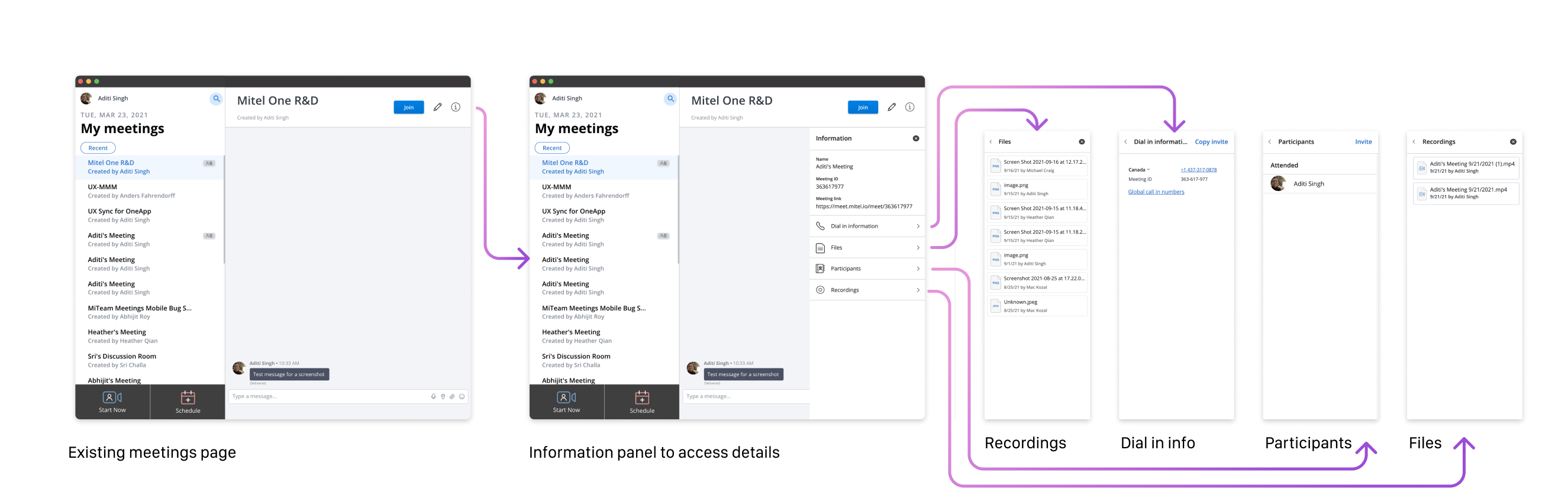
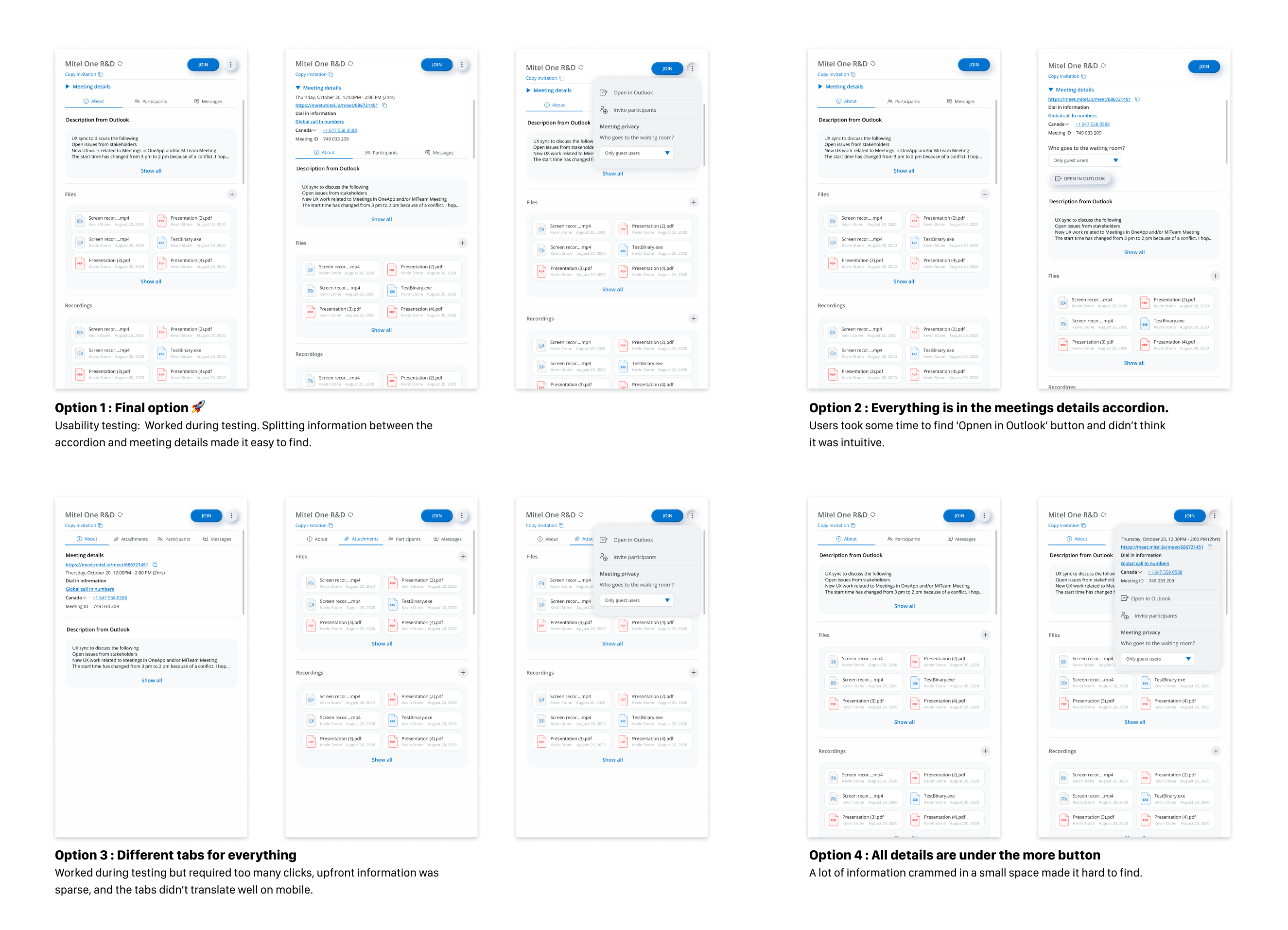
I designed a few options keeping with the following design intentions
⏫ Bring forward the content that improves the before and after experience of meetings.
⏬ Bury meeting chat one level deep to distinguish it from the message page.
Almost 18 months after being public, MiTeam Meetings has been adopted by a large percentage of Mitel's existing users. Mitel One has a deeper integration with meetings. Offering video collaboration in Mitel's primary collaboration app is an essential part of Mitel's business proposition.
Over past year, we have moved from cross launching meetings to integrating it in the Mitel's collaboration app. The future vision of the product is to move even further, along the same lines. An even deeper integration of meetings with chat and telephony would mean enabling scheduling and starting meetings from chat, getting relevant alerts there, posting meeting summary in the chat and many other features that take the collaboration experience to the next level.

